
Explore visitor management system for schools – why schools need it, the features to look for, how to select and implement the right solution, and who should be involved in...

Creating a safe school environment isn’t just about locking doors — it’s about having the right processes, people, and tools in place to protect students, staff, and visitors every day.At...
Why a school should consider a Security Assessment and what to look for when you do.There are several reasons you should consider when investing in a School Security Assessment:1. Enhancing...
Get 20% of your 1st order and stay connected to industry news!
Receive product news, industry trends, & offers via email.
Get 20% OFF your 1st order for signing up! (new customers only)*
*The discount code from this offer can not be used with other offers.
You can unsubscribe at any time.
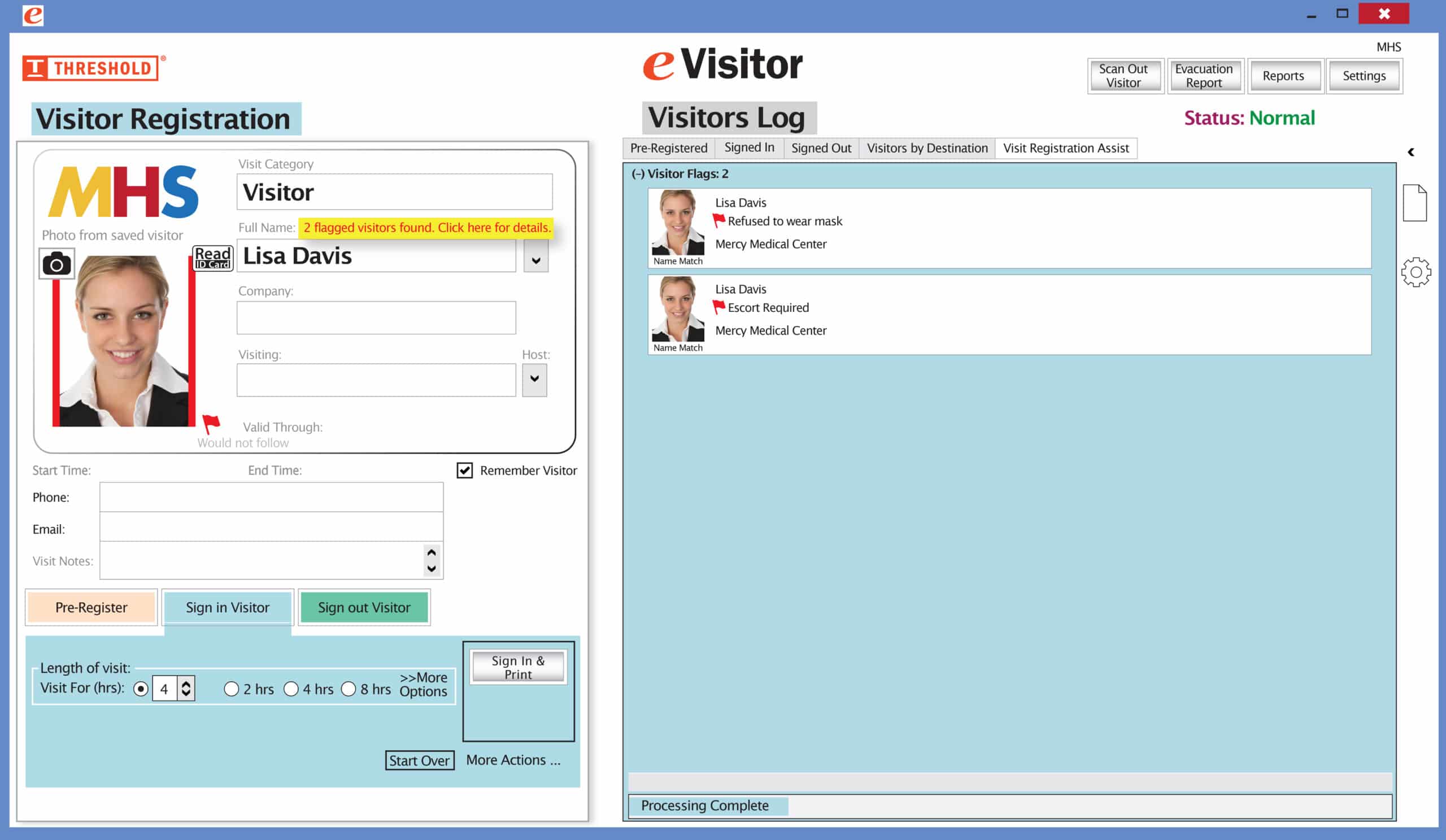
The Red Flag feature has been improved! Now you can set your system to not print a badge for any visitor record that has been previously marked with a Red Flag. The attendant will be prompted to redirect the visitor according to your security protocol.
Special New Feature: Red Flag, No Badge
It’s easy and free to activate this feature. Simply call us and ask for “Red Flag, No Badge” to be turned on. Once it’s on, the above pop-up will come up when a red flagged visitor comes back. No badge will print and the attendant will need to follow the facility’s policy for handling red flagged visitors.
The flags and notes only show to the desk attendant, not the visitor.
Please contact eVisitor Support with any questions on how to use Flags in your system.
If you have seen a special offer in our advertising, mailings, or emails, this is the area to enter the Promo Code to receive that offer. After you’ve entered the Promo Code, click “Update cart” for the code to take effect. If you have any questions, please call 1-800-243-1969.