

THRESHOLD is closed on Monday, February 23rd due to the blizzard.  

NEW! PARKING DECALS

A simple, reliable way to manage parking for staff, residents, students, and visitors.

Parking Decals provide a simple, highly visible way to identify authorized vehicles, support parking compliance, and streamline enforcement, and are designed for clear, at-a-glance verification.

THRESHOLD
Parking Decal
Features:

check mark

Available in multiple sizes, colors and shapes.

check mark

Choose from our popular standard designs for easy ordering.

check mark

Ideal for Schools, Universities, Hospitals, Corporate Campuses, Residential Communities.

check mark

Custom decals available at no extra cost.

check mark

Available with permanent or repositionable adhesive.

check mark

Adhesive is on the front side of the decals. They are getting adhered to the inside of the windshield.

PARKING DECALS

Our decals are available in multiple sizes, shapes, colors, and adhesive options so you can match the permit to your parking program.     

Parking Decals for parking documentation

Contact Us for Free Samples or with any Questions

    Security You Can Seeâ„¢

    [searchwp_form id=2]

    10% off your first order of Parking Decals and Hang Tags

    Parking Hang Tags and Decals

    SIMPLE SOLUTIONS FOR PARKING IDENTIFICATION

    A simple, reliable way to manage parking for staff,
    residents, students, and visitors.

    Use code PARK10 during checkout.

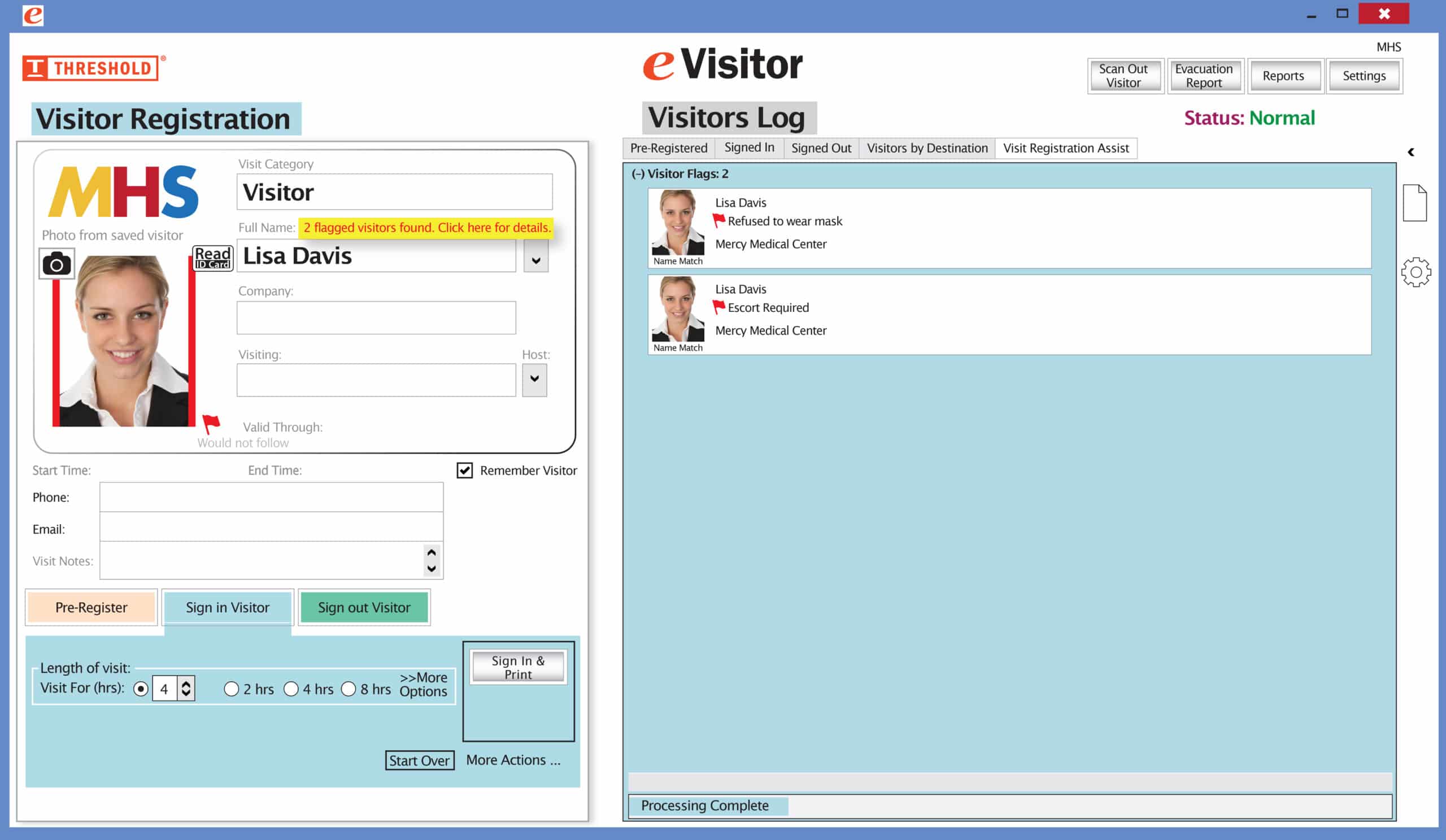
    The Red Flag feature has been improved! Now you can set your system to not print a badge for any visitor record that has been previously marked with a Red Flag. The attendant will be prompted to redirect the visitor according to your security protocol.

    Special New Feature: Red Flag, No Badge

    Flag alertsIt’s easy and free to activate this feature. Simply call us and ask for “Red Flag, No Badge” to be turned on. Once it’s on, the above pop-up will come up when a red flagged visitor comes back. No badge will print and the attendant will need to follow the facility’s policy for handling red flagged visitors.

    The flags and notes only show to the desk attendant, not the visitor. 

    Please contact eVisitor Support with any questions on how to use Flags in your system. 

    If you have seen a special offer in our advertising, mailings, or emails, this is the area to enter the Promo Code to receive that offer. After you’ve entered the Promo Code, click “Update cart” for the code to take effect. If you have any questions, please call 1-800-243-1969.