

Available in multiple sizes, colors and shapes.
Choose from our popular standard designs for easy ordering.
Custom tags available at no extra cost.
Ideal for Schools, Universities, Hospitals, Corporate Campuses, Residential Communities.


Available in multiple sizes, colors and shapes.
Choose from our popular standard designs for easy ordering.
Custom tags available at no extra cost.
Ideal for Schools, Universities, Hospitals, Corporate Campuses, Residential Communities.


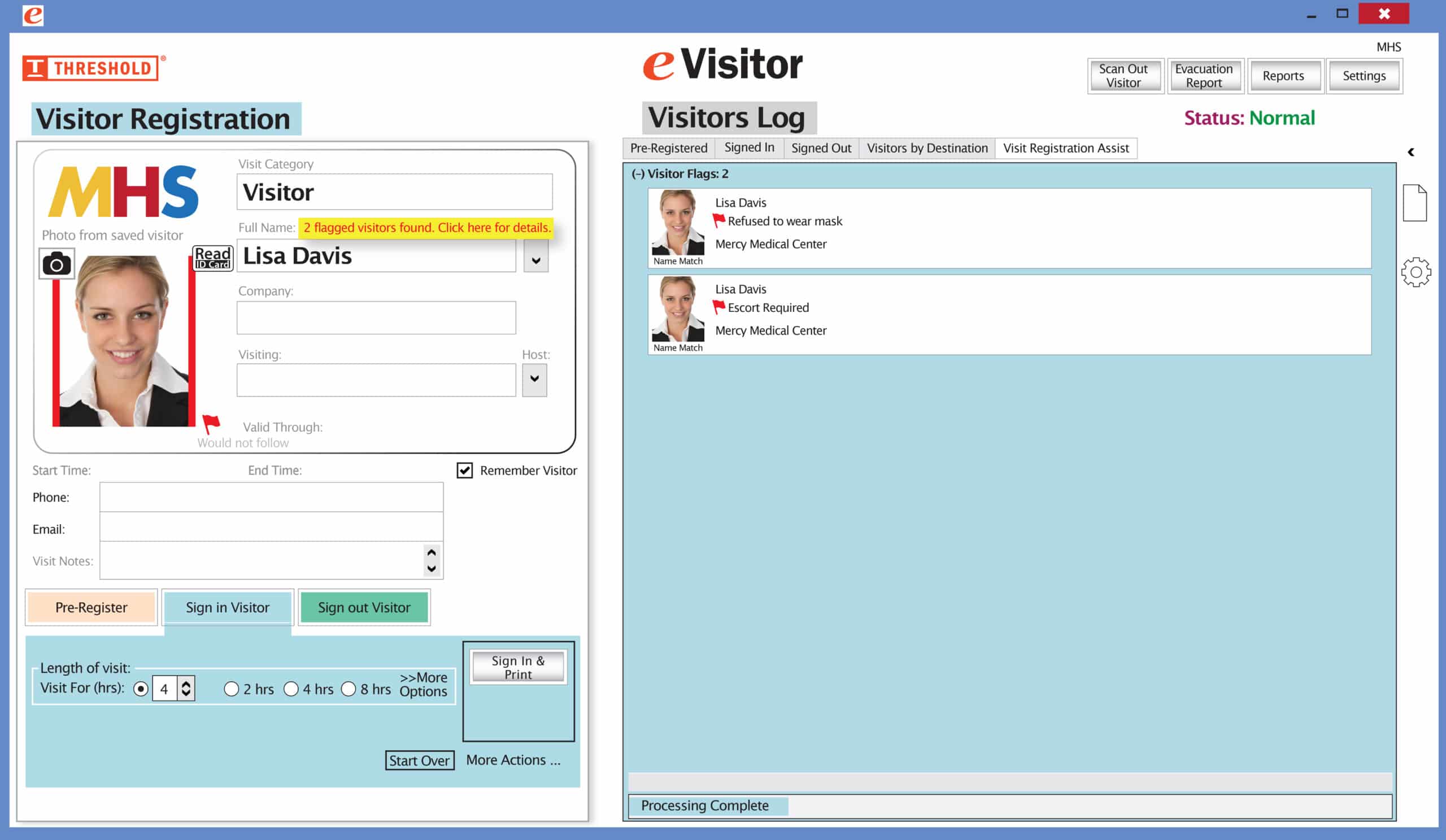 It’s easy and free to activate this feature. Simply call us and ask for “Red Flag, No Badge” to be turned on. Once it’s on, the above pop-up will come up when a red flagged visitor comes back. No badge will print and the attendant will need to follow the facility’s policy for handling red flagged visitors.
The flags and notes only show to the desk attendant, not the visitor.
Please contact eVisitor Support with any questions on how to use Flags in your system.