
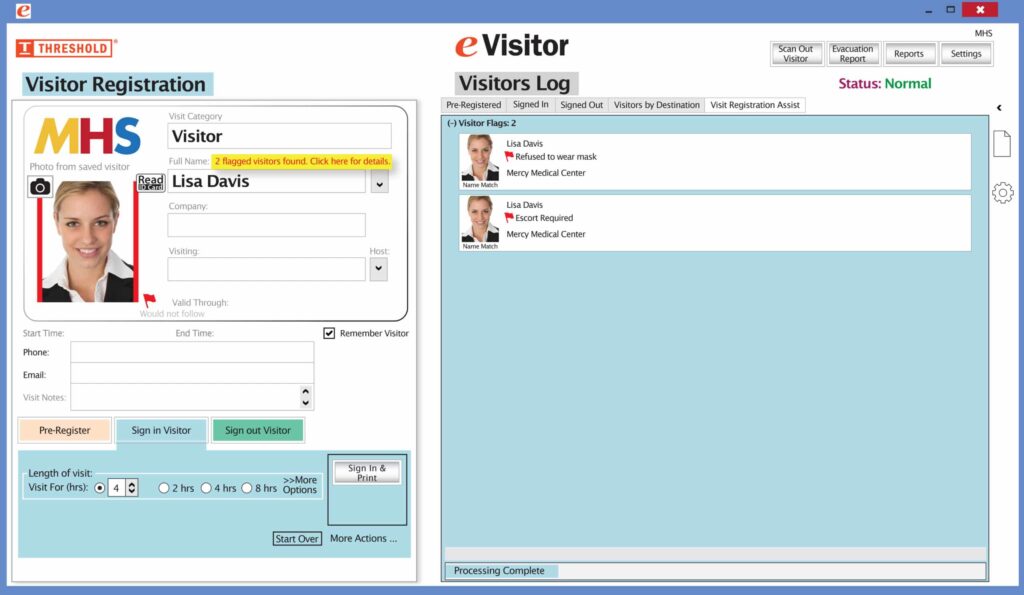
The Flag Alert feature allows desk attendants to discreetly mark registered visitors for any reason that requires staff attention.
Flags are available in four colors — red, yellow, green, and white — and their meanings are fully customizable to suit your organization’s needs. Common uses include:
Red – Visitor has been disruptive or is not permitted to enter the building
Yellow – Visitor requires special assistance
Green – Visitor is a VIP or priority guest
White – Available for any custom designation
Attendants can attach notes to any flag for additional context. All flags and notes are visible to desk staff only. They are never displayed to the visitor.
NEW! The Red Flag feature includes an added layer of security. You can configure your system to automatically block badge printing for any visitor who has previously been marked with a Red Flag. When a flagged visitor checks in, the desk attendant will be prompted to redirect them according to your organization’s security protocol, ensuring a discreet, consistent response every time. It’s easy and free to activate this feature. Simply call us and ask for “Red Flag, No Badge” to be turned on.
Please contact eVisitor Support with any questions on how to use Flags in your system.


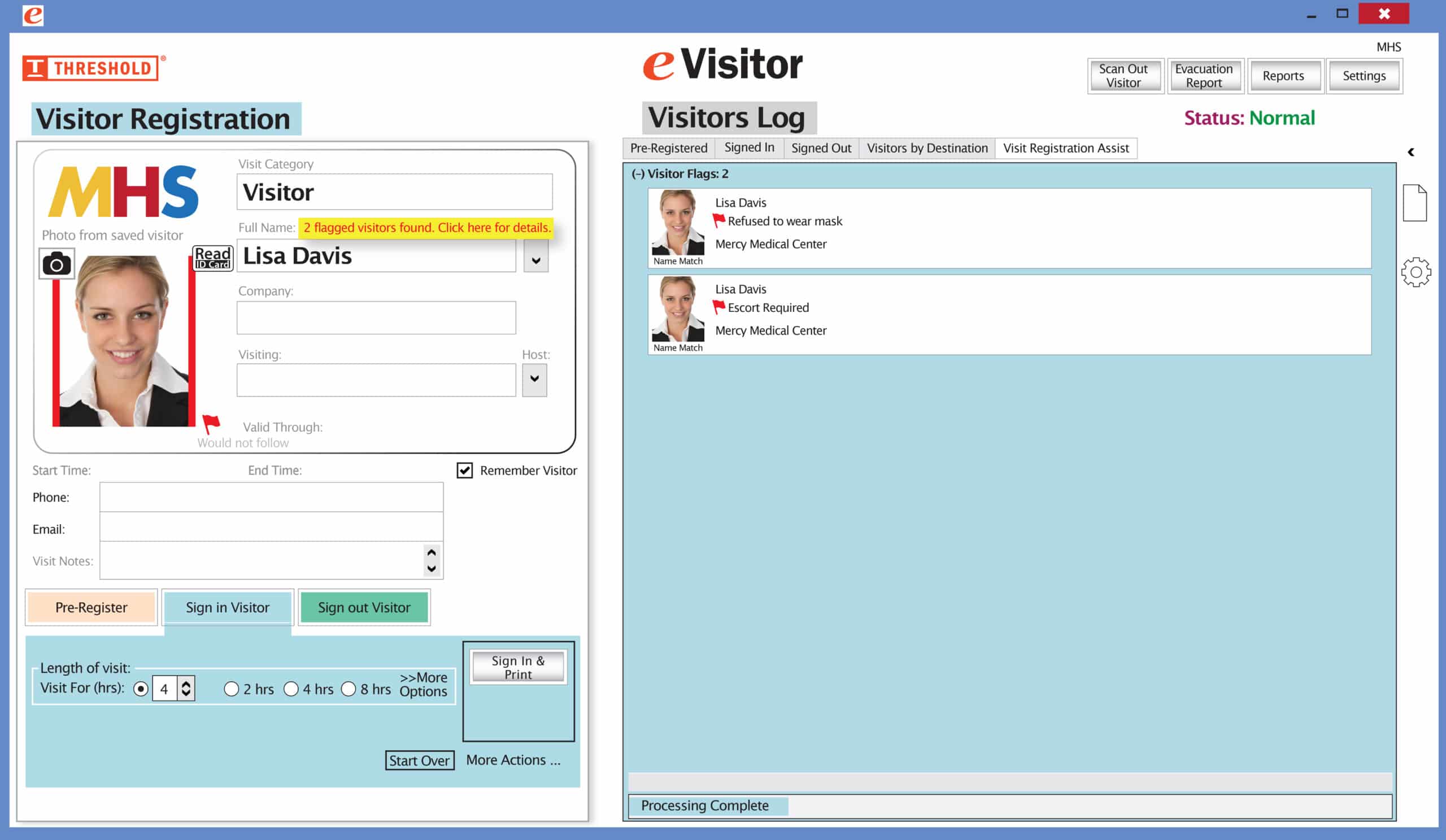 It’s easy and free to activate this feature. Simply call us and ask for “Red Flag, No Badge” to be turned on. Once it’s on, the above pop-up will come up when a red flagged visitor comes back. No badge will print and the attendant will need to follow the facility’s policy for handling red flagged visitors.