
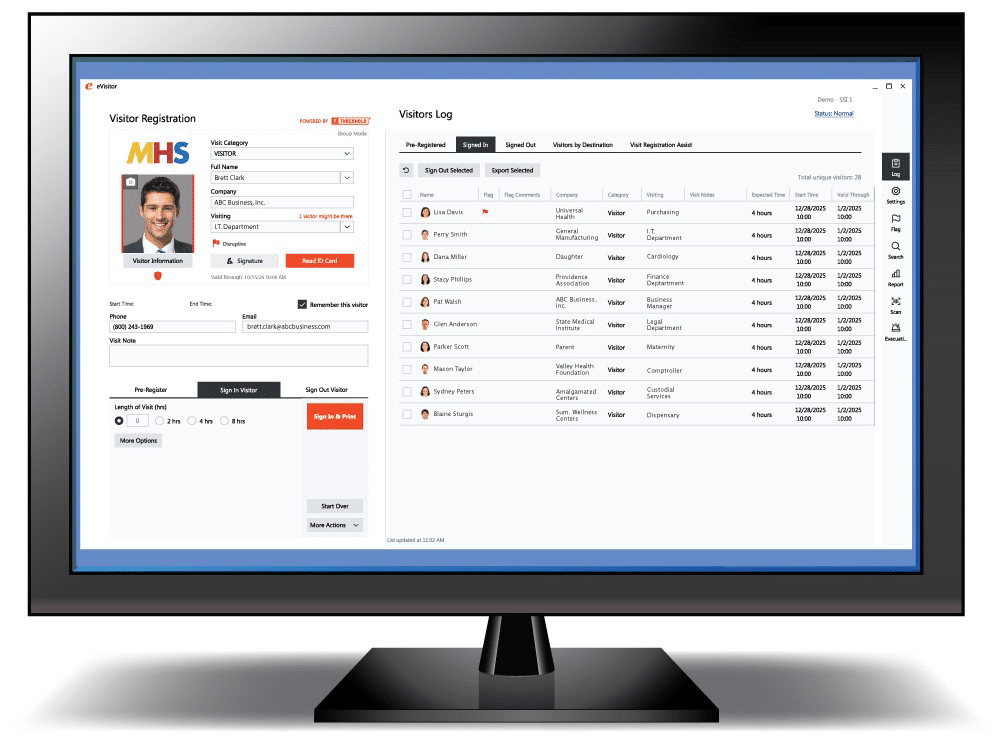
Visitor management is one of the most important front-line security protocols any facility can put in place. Whether you manage a school, healthcare facility, office, or warehouse, knowing who is in your building at all times helps protect staff, students, patients, and guests. A strong visitor management process creates accountability, supports emergency preparedness, and helps ensure that every guest is properly screened and documented upon arrival.
Badging every visitor adds another critical layer of security. A visible badge makes it easy for staff to quickly identify authorized guests, distinguish visitors from employees or students, and spot anyone who may not belong. When visitor sign-in is paired with badge printing, organizations gain a more secure, more professional, and more efficient way to manage traffic at the front desk.
That is why we are excited to announce an updated and refreshed eVisitor Software from THRESHOLD.
When users open the eVisitor app, they will immediately notice a clean, modern look as well as improved navigation designed to make daily sign-in faster and more intuitive for front desk teams. The update is focused on improving the user experience while preserving the trusted functionality customers already rely on every day.
What’s New in the Refreshed eVisitor Software?
The updated interface offers a more streamlined experience, making it simple for users to move through common visitor management tasks with ease.
Highlights of the refresh include:
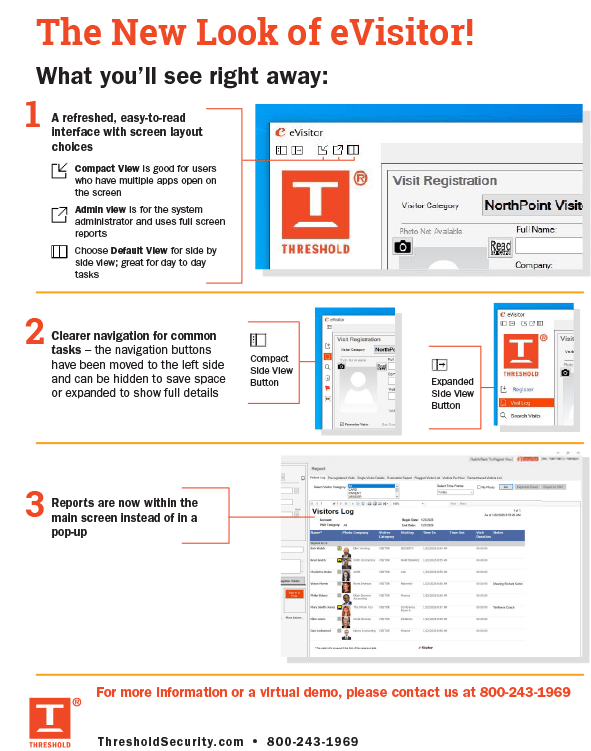
- A cleaner, easier-to-read interface with screen layout choices
- Navigation buttons moved to the left side for a more organized workflow
- The option to hide navigation to save space or expand it to show full details
- Reports now accessible within the main screen instead of opening in a pop-up window
These enhancements are designed to help reception and security teams work more efficiently while maintaining a professional visitor check-in experience.
What Hasn’t Changed?
While the look and navigation have been updated, the core features customers depend on remain the same. Users can continue to rely on:
- Existing workflows and data
- Badge printing
- Real-time reporting
- The dependable performance they count on every day
This refresh is designed to improve usability without disrupting the processes already in place.
Built for Better Front Desk Efficiency
Front desk staff need systems that are simple, fast, and reliable. The refreshed eVisitor Software helps reduce friction at check-in by making frequently used tools easier to access and daily tasks easier to complete. That means less time spent navigating screens and more time focused on welcoming visitors and maintaining a secure environment.
See What’s New
For a quick overview of the updates, current eVisitor users can review our “What’s New” guide (PDF on link, also see visual the end of the post) and share it with front desk staff. We are also happy to provide a walk-through or a short visual tour for anyone who would like a closer look at the refreshed software.
As always, our support team is here to help.
Thank you for continuing to partner with THRESHOLD for your visitor management needs.



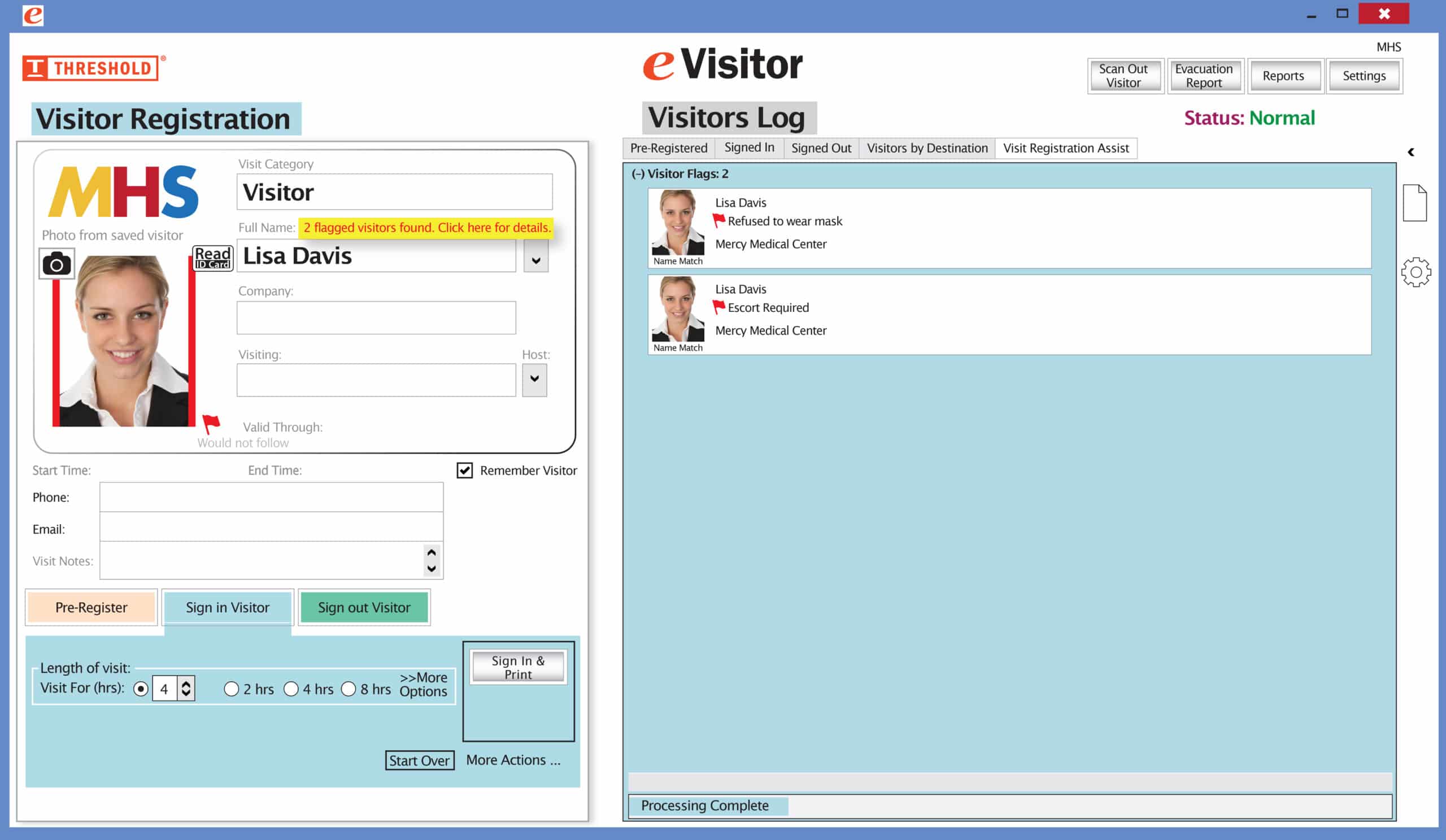 It’s easy and free to activate this feature. Simply call us and ask for “Red Flag, No Badge” to be turned on. Once it’s on, the above pop-up will come up when a red flagged visitor comes back. No badge will print and the attendant will need to follow the facility’s policy for handling red flagged visitors.