
Kiosk-Based Visitor Management Systems: What Hospitals Need to Know Before They Buy
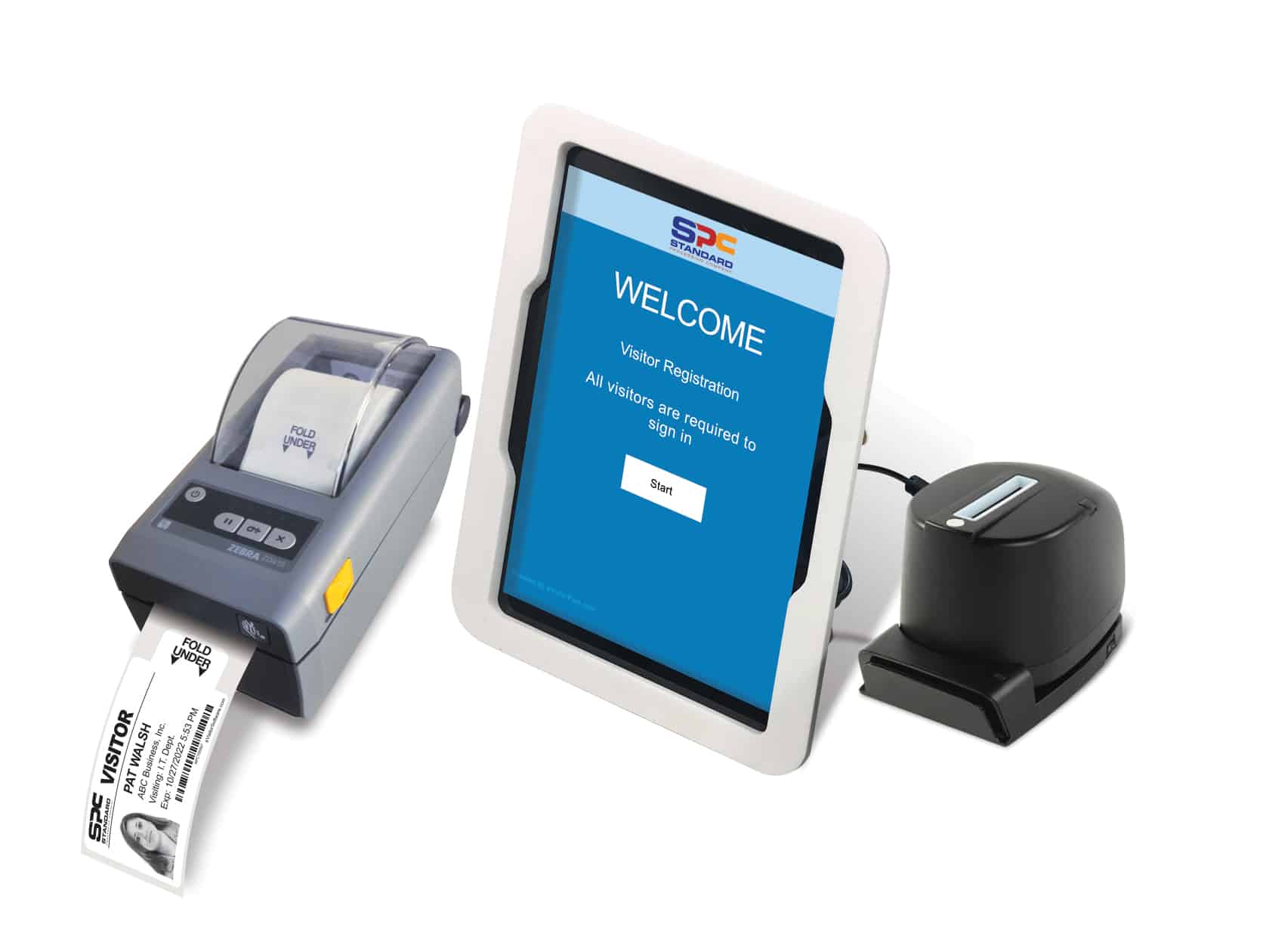
Walk into many modern hospitals and you’ll see them near the front entrance: sleek, self-service kiosks where visitors check themselves in, print a badge, and head to their destination, all without stopping at the manned desk. Kiosk-based visitor management systems are growing in popularity across healthcare settings, and it’s easy to see why. But like any security tool, they come with trade-offs that every facility should understand before making the investment.
Here’s an honest look at both sides.
The case for kiosk systems:
They take pressure off your front desk. Visitor check-in is time-consuming, and in a busy hospital, the front desk staff are juggling phone calls, visitor questions, and a steady stream of people coming through the door. A kiosk handles the routine part of that workflow; collecting visitor information, running ID checks, printing a badge, so your staff can focus on higher-priority interactions.
In MGMA’s article “Scaling self-service: A practical approach for multi-site kiosk rollouts” (12/28/2025), “Healthcare services face persistent staffing shortages driven, in part, by high stress and burnout contributing to job dissatisfaction and high attrition. Care teams are stretched, and front-desk roles absorb a widening scope — from appointment management to forms, benefits checks, and intake — that, coupled with workforce shortages and employee fatigue potentially lead to medical errors and diminished care quality. However, technological advancements now allow for thoughtfully deployed kiosks that can offload repeatable tasks, standardize check-in, accelerate collections, and free staff to focus on navigation, patient experience, and high-yield priorities”. (source: https://www.mgma.com/articles/scaling-self-service-approach-for-multisite-kiosk-rollou)
They’re especially valuable for repeat visitors. Family members who visit a patient regularly, vendors who come weekly, or contractors who are already in your system can move through check-in quickly. If a visitor has already been vetted and their ID verified, their information on file so the kiosk experience can be fast and friction-free.
They capture data consistently. One of the subtle benefits of a kiosk system is that it asks every visitor the same questions every time. There’s no variation based on how busy the desk is, no fields left blank because a staff member was interrupted. Every record is complete.
They scale without additional staffing. During high-traffic periods, such as visiting hours and shift changes, a kiosk keeps processing visitors. That consistency is difficult to achieve with staff coverage alone.
They work around the clock. Hospitals are open 24/7 and visitors need access all times of day and night. A kiosk provides check-in capability during overnight hours and weekends when desk staffing may be reduced.
The case for caution:
No one is verifying who visitors say they are. According to HID’s article “HID, Soloinsight and CTS Introduce Integrated Self-Service Visitor Check-In Kiosk for Global Enterprises and Critical Infrastructure” (08/11/2026), “A visitor can type any name into a tablet or present a photo ID that a receptionist has no way to authenticate, which means the person issued a badge may not be who they claim to be. For regulated or high-risk facilities, that unverified access creates real exposure: unauthorized individuals gaining entry, gaps in the audit trail when an incident occurs and compliance failures when organizations cannot prove who was on site and when”. (source: https://newsroom.hidglobal.com/hid-soloinsight-and-cts-introduce-integrated-self-service-visitor-check-kiosk-global-enterprises)
This is the most significant limitation of any kiosk system. When a visitor types in their name and scans their ID, there’s no trained staff member confirming the face matches the ID, noticing if something seems off, or asking a follow-up question. The system processes what it’s given. In a healthcare setting where patient and staff safety depends on knowing who is in the building, that gap matters.
Visitors on your alert list may not be intercepted. A kiosk can flag a name that appears on a watchlist and alert staff, but the visitor is already standing in your entry, and the response depends on how quickly someone can react and whether the kiosk system is being monitored in real time. In a staffed check-in scenario, a trained employee sees the flag first and manages the situation before the visitor proceeds. The sequencing is different, and in sensitive cases, that difference can be significant.
When the hardware fails, your visitors wait. Printer jams, software glitches, and connectivity issues happen, and when they do, a visitor standing at a kiosk needs a staff member to step in. If your kiosk is positioned as a staffing solution rather than an enhancement to it, that backup may not always be readily available.
Kiosks can be difficult for some visitors to use. Touch screens, small text, and multi-step workflows aren’t intuitive for everyone. Elderly visitors, people unfamiliar with technology, and those who are already anxious or distressed, which is often the case in a hospital setting, may struggle with a self-service process. The efficiency gains for some visitors can come at the expense of a poor experience for others.
You lose the human read on the situation — and the personal interaction. Experienced front desk staff catch things that no system can; a visitor who seems agitated, someone who hesitates when asked about their relationship to the patient, or behavior that simply doesn’t fit the moment. That intuition is a real security asset. But beyond security, front desk staff serve another role that often goes unacknowledged. They’re the first point of contact for visitors who are already stressed, confused, or in a difficult moment. A family member who can’t remember which floor their loved one is on, a first-time visitor trying to navigate a large facility, or someone who simply needs a reassuring word from another person. None of them can get help from a kiosk. A kiosk checks people in; it doesn’t ‘welcome’ them.
Visitors arriving at a hospital are often not at their best, they may be worried, unfamiliar with the facility, or dealing with a language barrier. The check-in moment is also, frequently, an orientation moment. Staff who greet visitors can answer questions, point them in the right direction, and provide the kind of personal reassurance that sets the tone for the entire visit. A kiosk handles the transaction; it doesn’t interact with a person.
The bottom line
Kiosk-based visitor management works best as part of a layered security strategy, not as a replacement for human oversight. For repeat visitors, routine check-ins, and high-volume periods, a kiosk adds real efficiency. For facilities that handle sensitive populations, maintain security alert lists, or serve visitors who may need additional support, a kiosk alone is unlikely to meet the full security needs.
The strongest visitor management programs combine the speed and consistency of a kiosk with a human presence at the point of entry so that the routine check-in can be handled automatically, and the exceptions are handled by trained staff.
| Category | Benefit | Notes |
|---|---|---|
| Staffing | Reduces front desk workload | Staff freed for higher-priority interactions |
| Efficiency | Faster check-in for repeat visitors | Pre-vetted visitors process quickly |
| Data quality | Consistent data capture every visit | Same fields collected every time; no missed entries |
| Scalability | Handles high-volume periods | Manages surges without additional staffing |
| Availability | 24/7 operation | Works overnight and weekends with reduced desk coverage |
| Compliance | Instant badge printing & logging | Visitor badged and recorded automatically |
| Category | Concern | Notes |
|---|---|---|
| Security | No human identity verification | ID is self-reported; a trained staffer would confirm or make a judgment call |
| Security | Alert-list interception gaps | Flagged visitors may proceed before staff can respond |
| Reliability | Hardware / software failures cause delays | Printer jams, software issues, and outages require staff intervention |
| Accessibility | Difficult for some visitors to use | Elderly, disabled, or anxious visitors may struggle with touch screens |
| Guest experience | Can't answer questions or give directions | Visitors unfamiliar with the facility have nowhere to turn for assistance |
| Human factor | Misses behavioral cues | Experienced staff notice agitation or suspicious behavior |
At Threshold, our visitor management consultants work with healthcare facilities of all sizes to find solutions that match their specific security needs. If you’d like to talk through what might work best for your facility, we’d welcome the conversation. Reach out to our team today.
## Sources
MGMA. “Scaling self-service: A practical approach for multi-site kiosk rollouts”. 12/28/2025. https://www.mgma.com/articles/scaling-self-service-approach-for-multisite-kiosk-rollou
HID. “HID, Soloinsight and CTS Introduce Integrated Self-Service Visitor Check-In Kiosk for Global Enterprises and Critical Infrastructure”. 08/11/2026. https://newsroom.hidglobal.com/hid-soloinsight-and-cts-introduce-integrated-self-service-visitor-check-kiosk-global-enterprises



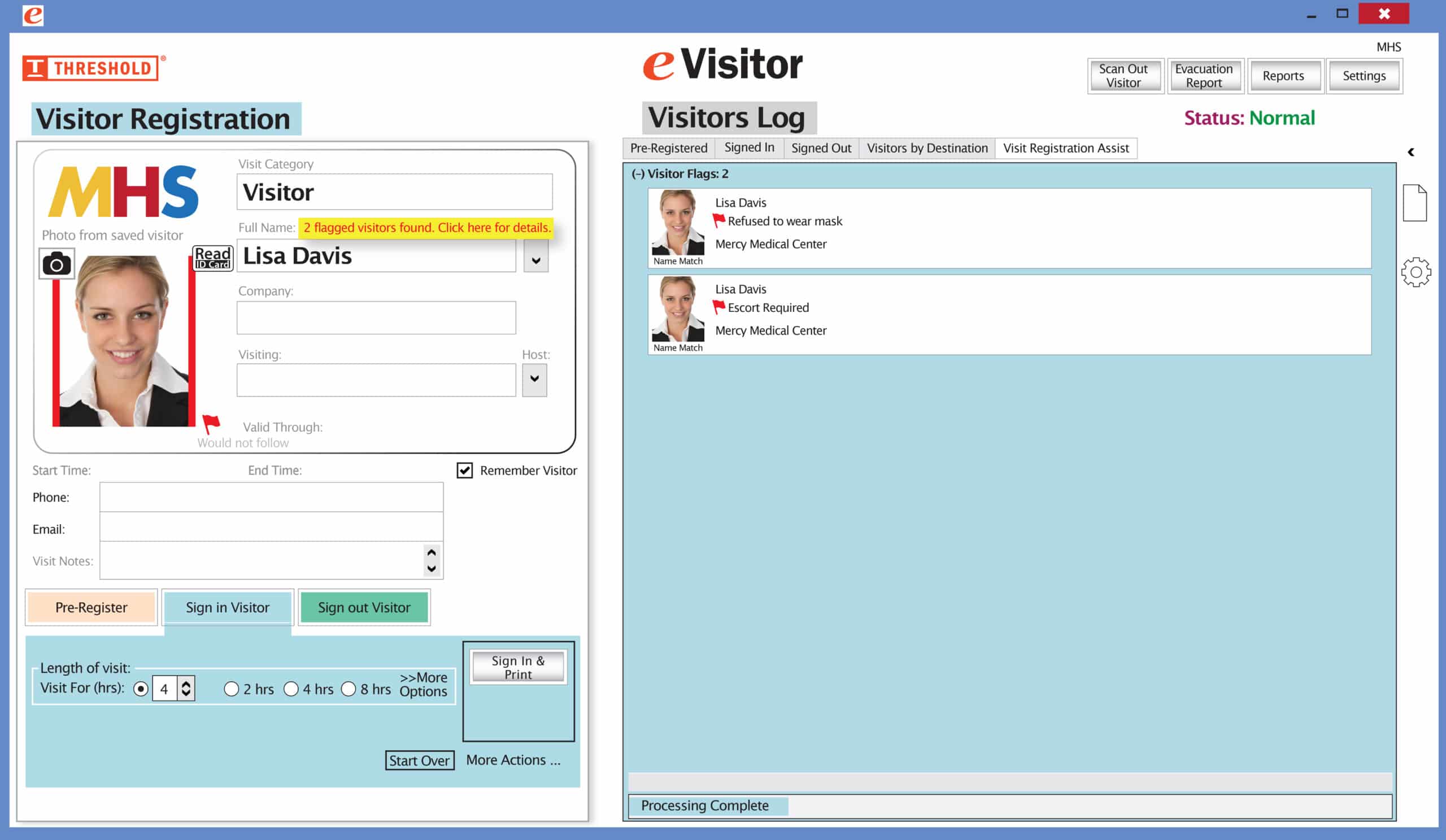 It’s easy and free to activate this feature. Simply call us and ask for “Red Flag, No Badge” to be turned on. Once it’s on, the above pop-up will come up when a red flagged visitor comes back. No badge will print and the attendant will need to follow the facility’s policy for handling red flagged visitors.