

Secure. Visible. Verified. Visitor Management
Solutions for Today’s Facility.
Strengthen your organization’s security with visitor management systems and badges that quickly identify guests and help control access. Our solutions include customizable visitor badges — available with expiring technology — to ensure temporary visitor access is professional, secure and compliant.
We also offer parking decals and parking hang tags to help any kind of business manage & identify authorized vehicles on-site.
Key Benefits

Streamlined Visitor Check-In

Improved Accountability & Record Keeping

Enhanced Employee/Staff Confidence

Stronger Security & Workplace Safety

Compliance and Regulatory Support

Product Details & Options
Visitor Badges
Badge every visitor!
All visitors should present an ID and wear a badge throughout their visit. The badge shows staff that the visitor has been through the security protocol.
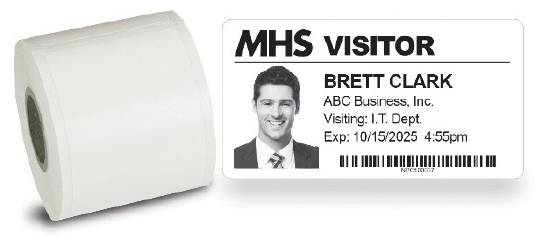
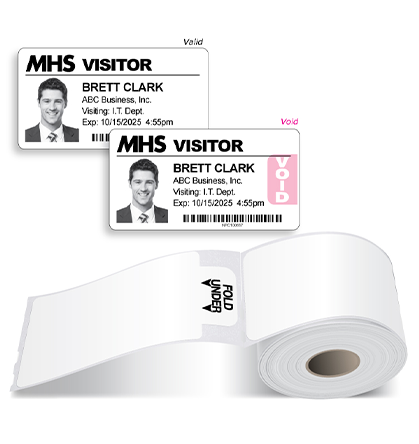
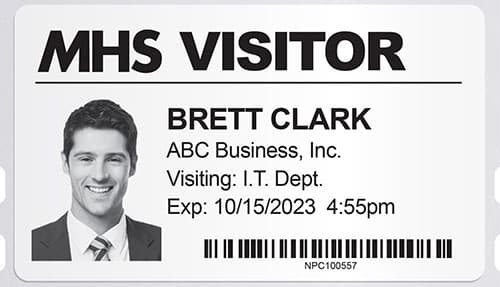
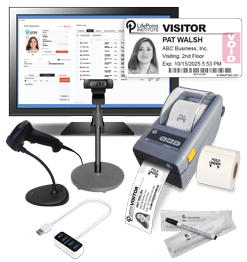
Badges on Rolls for Software
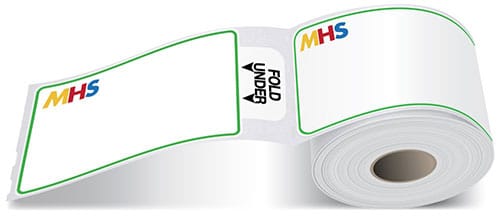
Our badges are compatible with popular visitor management software and label printers such as Brother, IDPRT, Seiko, Zebra, DYMO (400 series only), EPSON, and Primera.
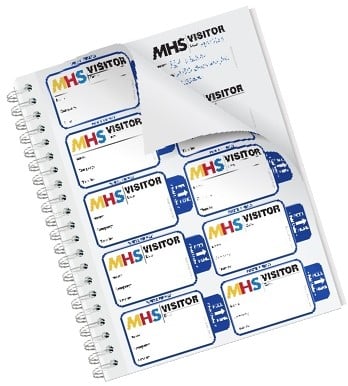
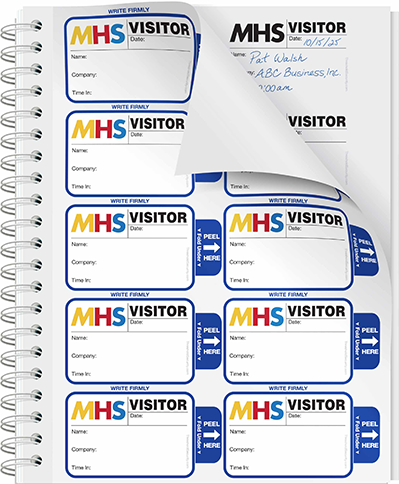
Badges in Sign-In Books
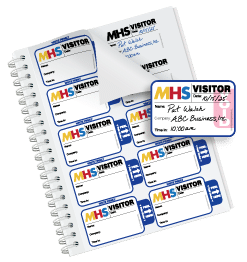
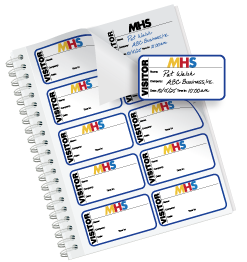
Create a visitor badge for wearing identification and a duplicate log for record-keeping, all in one writing!
Expiring Visitor Badges
Who has permission to cross your threshold? With our state-of-the-art Expiring Technology we will keep your facility and staff safe.
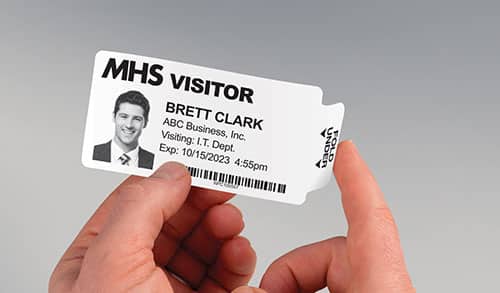
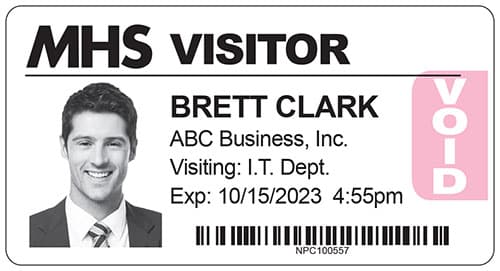
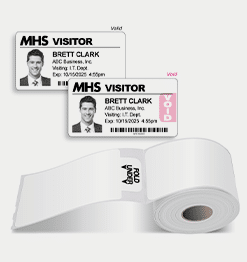
Badges with Expiring Technology change color overnight to prevent reuse.
How it works:
- Complete the badge with visitor information and simply fold the tab back to activate.
Available on Rolls for software printers:
Compatible with popular visitor management systems, like Acre, BadgePass, and Building Intelligence.
- The badge changes color by the next day and is Void.
Available in books for handwritten use:
Expiring badges change color overnight so they can’t be reused.
Here are the reasons to use expiring badges:
- Visual Alert: Badges show a red VOID making it easy to spot expired ones.
- Peace of Mind: A WHITE badge means a visitor registered today and their ID is current.
- Discourage Reuse: Expired badges show “VOID”, preventing reuse.
- Prevent Unauthorized Access: Visitor wearing an Expired badge should not be allowed in.
- Extra Security: Expiring badges require daily sign-ins for tighter control.
- Convenience: No need to collect badges—expired ones can’t be reused.
Customization
Custom Badges in Books:
Have your company name & logo imprinted with color ink. ($12 upcharge, no upcharge for black ink)
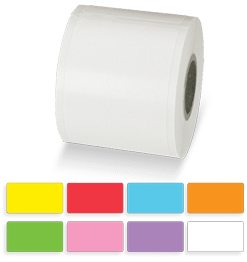
Custom Color on Rolls:
Minimum order applies. Call 800-243-1969 for a quote.
Trusted by companies worldwide
Here are some prominent companies we work with:
ARUP Laboratories
Best Buy
ConAgra
Ethos Cannabis
KeyBank
KLA
Loreal
Moderna
Philadelphia Eagles
Sherwin Williams
US Foods
Washington Nationals
-
"Prompt service. Quick delivery. Perfect product."
Ron Speed,
Allstate Insurance - Coppell, TX -
"Great company, always willing to help and provide a great product and information to help keep our company safe."
Carrie Jamieson,
BioSafe Systems - East Hartford, CT -
"Easy online ordering and quick delivery... very pleased! :)"
Stephanie Meeks,
Southern Store Fixtures Inc - Bessemer, AL -
"Always quick to help and quick to ship orders. Regular communication and new product offerings shows they care about their customers."
Paul Martin,
The Endurance International Group, Inc. - Burlington, MA -
"Great company very easy to work with A+++!"
John Harrell,
Florida Caribbean Distillers - Lake Alfred, FL -
"This product dramatically helped our office with confidentiality issues. I would highly recommend this to anyone who is concerned with the privacy of visitors in the office environment."
Valerie Jones-Gardner,
SAIC (Science Application International Corporation) - Panama City Beach, FL -
"You included everything our company needed on the badge. Once everything was approved I received the product very fast! The sign in set was perfect for our lobby."
Terri Navarro,
CaaStle - Mountain View, CA -
"The product is great, the customer service is even greater. They always seem to know when I need to order and they send me quick email reminder."
Kelly Maddox,
Sherwin Williams - Lawrenceville, GA
FAQs
How do expiring badges work?
A color change reaction is activated when the red ink makes contact with the adhesive. Once activated, the color change cannot be stopped. This color-changing process is both time- and temperature-sensitive. We have engineered the badges to remain valid for 4-6 hours at room temperature. Overnight, the badges have fully changed color.
Can I customize the badges with my facility logo?
Yes! Along with our stock badges, we offer custom-designed badges featuring your company logo and/or the organization’s name in black ink. A proof will be provided for your approval before printing. Color imprints are also available for an additional fee.
What visitor management systems do these badges work with?

How fast can I get my order?
Industry-leading turnaround!
Stock: 24-hour shipping. Custom: Ready in 2-3 days!
How can I improve visitor management in my office? Here are 5 ways.
1) Review and analyze visitor traffic
As you collect visitor data over time, it’s important to analyze the information you have collected to identify areas that may need to be improved, or to find potential loopholes in the way you manage visitors. Most software-based visitor management systems have tools that let users generate detailed reports about visitor traffic and trends. These reports should be analyzed to help the overall effectiveness and efficiency of visitor security procedures.
2) Implement time-expiring visitor badges for additional visual security
When a time-expiring visitor badge is activated, the color-changing process is tamper-proof and cannot be stopped. The badges change color to prevent visitor badge reuse the next day. The bright pink on a white visitor badge is a great visual alert to staff that the person wearing the visitor badge should be stopped and questioned. Otherwise, without the badge changing color, you would have to get really close to read the date on the visitor badge to determine if a visitor was reusing an old badge.
3) Add a waiver of liability and/or confidentiality agreement to the visitor badge
The visitor pass could have a Visitor Agreement message printed right on it. In this case, by accepting the badge, the visitor accepts a waiver of liability and/or confidentiality agreement. The visitor badge itself can be custom-printed with whatever security message you’d like. Having a Visitor Agreement/Limited Liability Statement on the visitor badge allows your facility to clearly state what is expected of the visitor while on-site. This statement could include everything from protecting confidential information to limiting the organization’s liability for any injury while on the grounds.
4) Use a custom-printed badge tag that includes emergency protocols
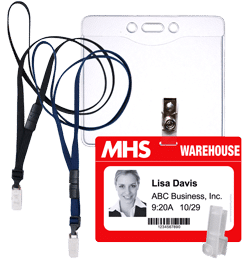
Another popular idea involves the use of badge tags. These are plastic cards, worn with a clip or a lanyard, that carry the adhesive visitor pass instead of having it stuck directly to a visitor’s clothing. The badge tags can be custom-printed on their backside with your facility’s security procedures and emergency information. Many facilities print personal conduct protocols, emergency numbers, fire exits, and/or security staff contact information on the back of the badge tag. If an emergency occurs, the necessary information a visitor might need is right on their person.
5) Have a manual sign-in book as a back-up
When a computer virus attacks, the power goes out, or the visitor management system just isn’t working, staff members in your reception area have to find another way to keep doing their jobs. Visitor documentation doesn’t stop just because the electronic systems are down. Security personnel must be ready with a manual sign-in book to badge and track people that come into the facility. Manual solutions can accomplish many of the same functions as their electronic counterparts, including issuing a visitor pass and having a permanent record of all visits. An added bonus is being able to take the book with you during an evacuation so you know who is still in the facility.
What are affordable visitor management options for my workplace?
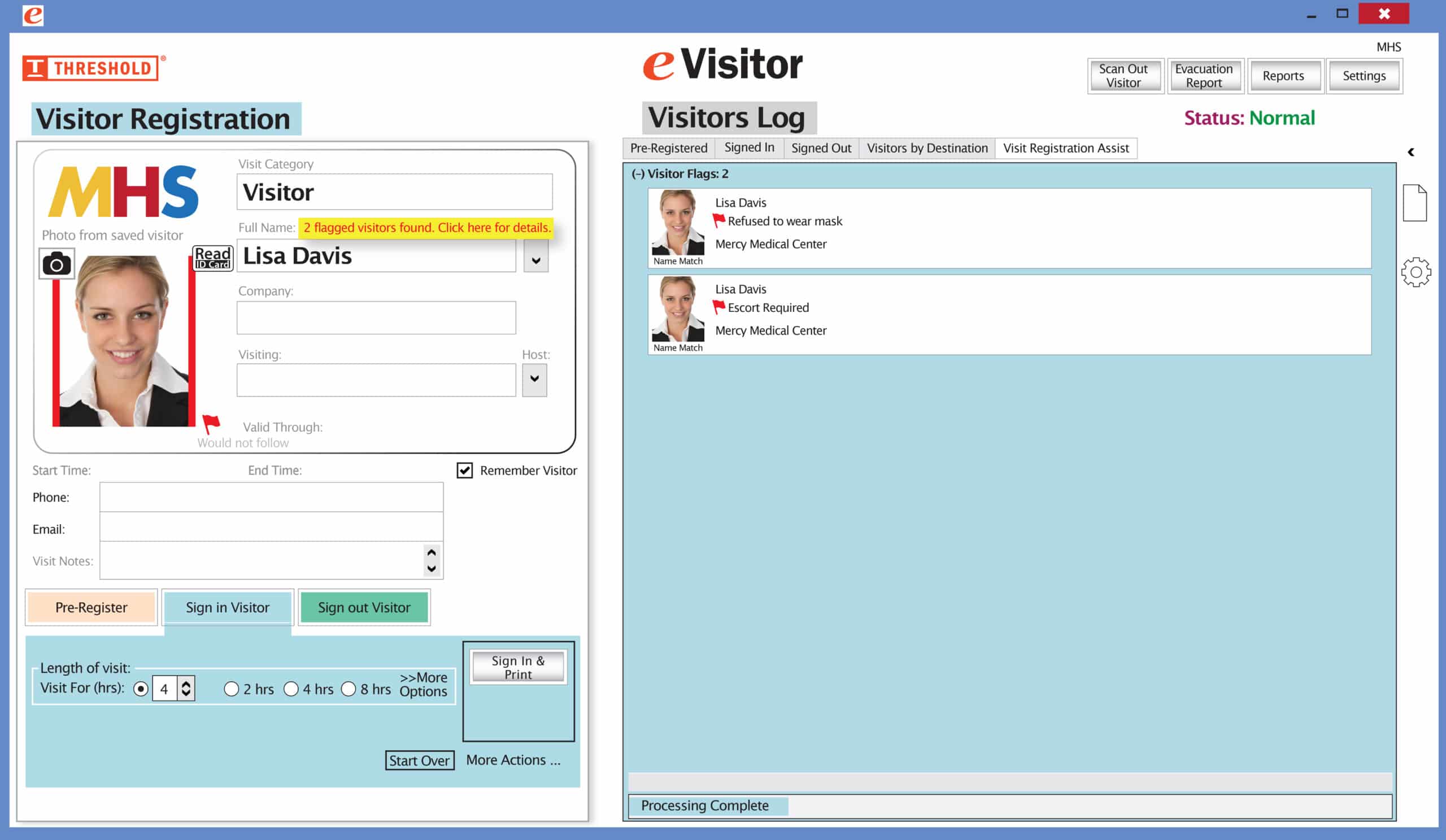
eVisitor Software is an affordable yet robust visitor management software that allows you to sign-in, identify, track, and run reports on visitors. eVisitor prints visitor badges customized with your logo. It lets you design ID’s for all categories of visitors. The fabric-friendly badges stay on without harm to most clothing. Our most popular visitor badges are self-expiring, which means they change color overnight to prevent reuse. A compatible printer and a supply of labels are included with our system packages.
eVisitor prints clear, crisp photos on every badge with our exclusive “Auto-Crop” feature. Room-Track alerts you to the name and number of visitors in a room, lists of each destination, and how many visitors are in each location. You know at a glance the total number of visitors in the facility. Custom Dropdown menus help you categorize visitors however you want, i.e. VISITOR, VENDOR, CONTRACTOR, etc.
How do I schedule a demo of eVisitor Visitor Management Software?
Schedule a demo using this link, https://thresholdsecurity.com/contact/schedule-evisitor-demo/. Choose 30 minutes for an overview or 60 minutes for a comprehensive demo and discussion.
Where can I buy parking permit decals?
Threshold sells parking permit decals. Learn more here, https://thresholdsecurity.com/decals/. Decals are an easy, reliable way to manage parking for staff, residents, students, & visitors. Parking Decals provide a simple, highly visible way to identify authorized vehicles, support parking permit compliance, streamline enforcement, and the parking stickers are designed for clear, at-a-glance verification.
Where can I buy parking permit hang tags?

Threshold sells parking permit hang tags. Learn more here, https://thresholdsecurity.com/hang-tags/. Hang Tags are an easy, reliable way to manage parking for staff, residents, students, & visitors. Hang Tags provide a simple, visible way to identify authorized vehicles without permanent installation. These colorful and visible parking permits are useful in environments with changing drivers, temporary access, or shared vehicles.
“The system is very easy to use and makes our visitor check-in very efficient.”
– Boyd Long
Valley View Casino
Valley Center, CA
It’s easy and free to activate this feature. Simply call us and ask for “Red Flag, No Badge” to be turned on. Once it’s on, the above pop-up will come up when a red flagged visitor comes back. No badge will print and the attendant will need to follow the facility’s policy for handling red flagged visitors.